 Kaveyl
Features
Everything Kaveyl Wiki can do
It is all built in – no plugins to hunt for. This page lists only what really exists; the details of every point are in the manual built into Kaveyl Wiki (F1).
Principles
- Notes are plain Markdown files in Git repositories or folders – there is no separate content database
- Saving only changes the sections you edited; everything else stays byte for byte the same
- Just opening a note never changes it
- Nothing is overwritten silently – simultaneous changes lead to a notice or a conflict dialog
- What Kaveyl Wiki writes (callouts, image sizes, links) looks the same in Gitea, GitHub and VS Code
- Every source has Git underneath – local folders can get their own versions too
Writing & editor
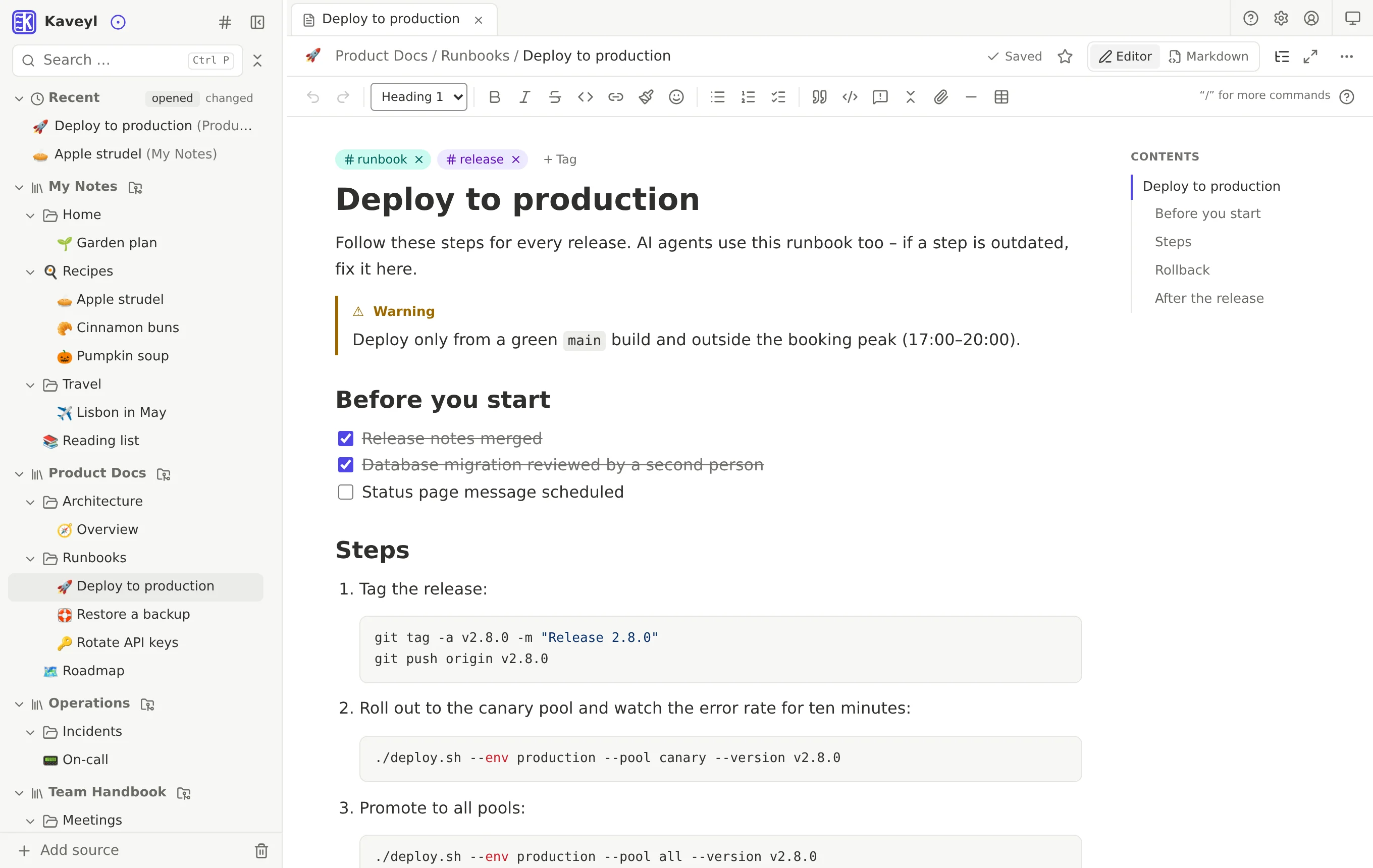
- Editor that shows formatting directly, or the Markdown source – switchable per note
- Toolbar with headings, lists, checklists, quotes, code blocks and tables (add or remove rows and columns)
- Slash commands with
/(German or English) and a menu for selected text - Callout boxes (note, tip, important, warning, caution) and collapsible blocks
- Code blocks with syntax highlighting; Kaveyl Wiki can detect the language itself
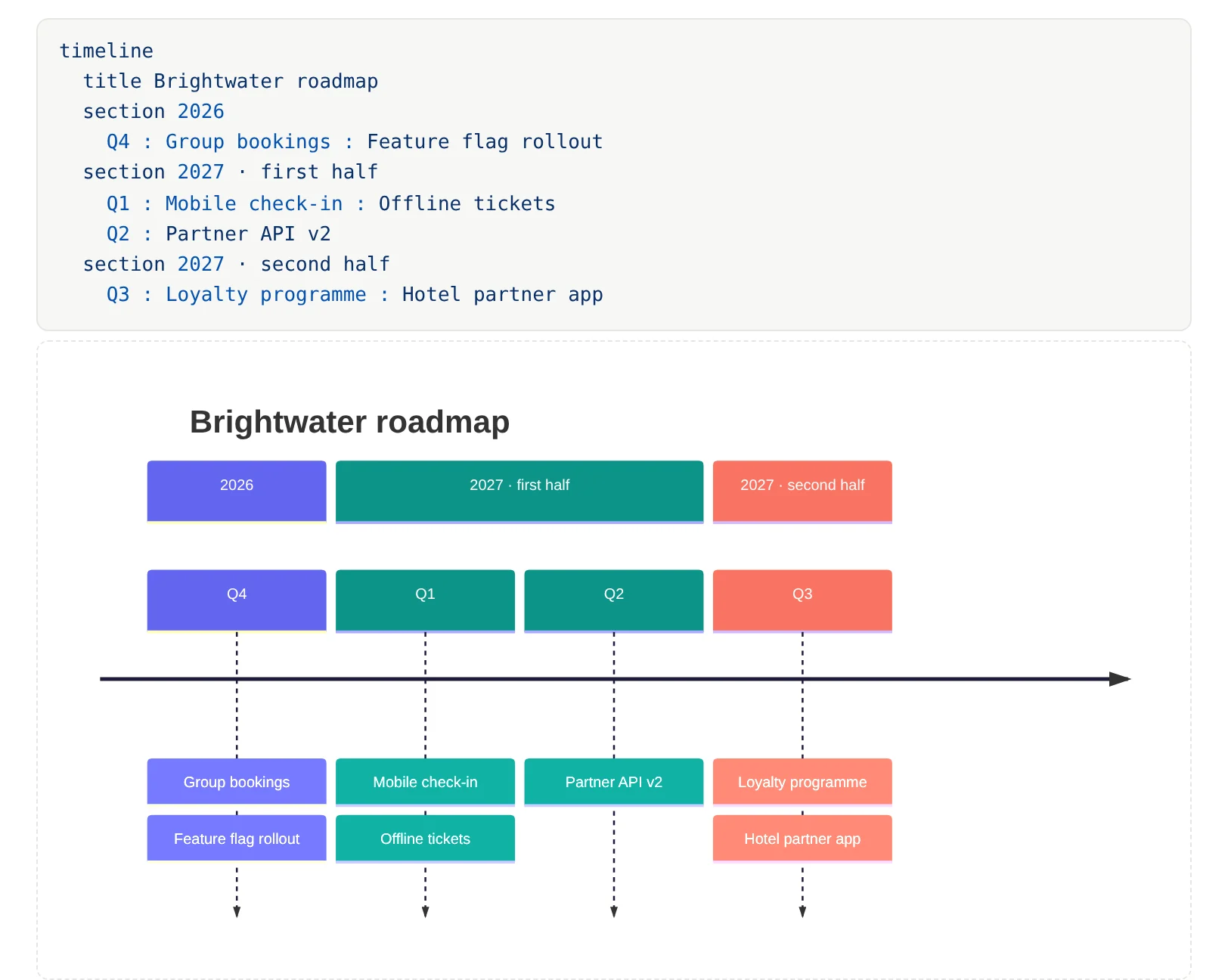
- Formulas (LaTeX via KaTeX) and Mermaid diagrams – flowcharts, timelines, mind maps, pie charts, Gantt charts, Git graphs
- Excalidraw drawings, saved as SVG next to the note and editable later
- Attach files and images via paperclip, drag and drop or paste; they go into an
assets/folder next to the note - Align and resize images; large photos are shrunk to WebP on paste, GPS and camera data are removed
- Link notes by typing
[[– it becomes a normal relative link - Emoji with
:and a format painter - Saves automatically right after you stop typing; content the editor cannot display (HTML, footnotes) is kept unchanged
Organizing
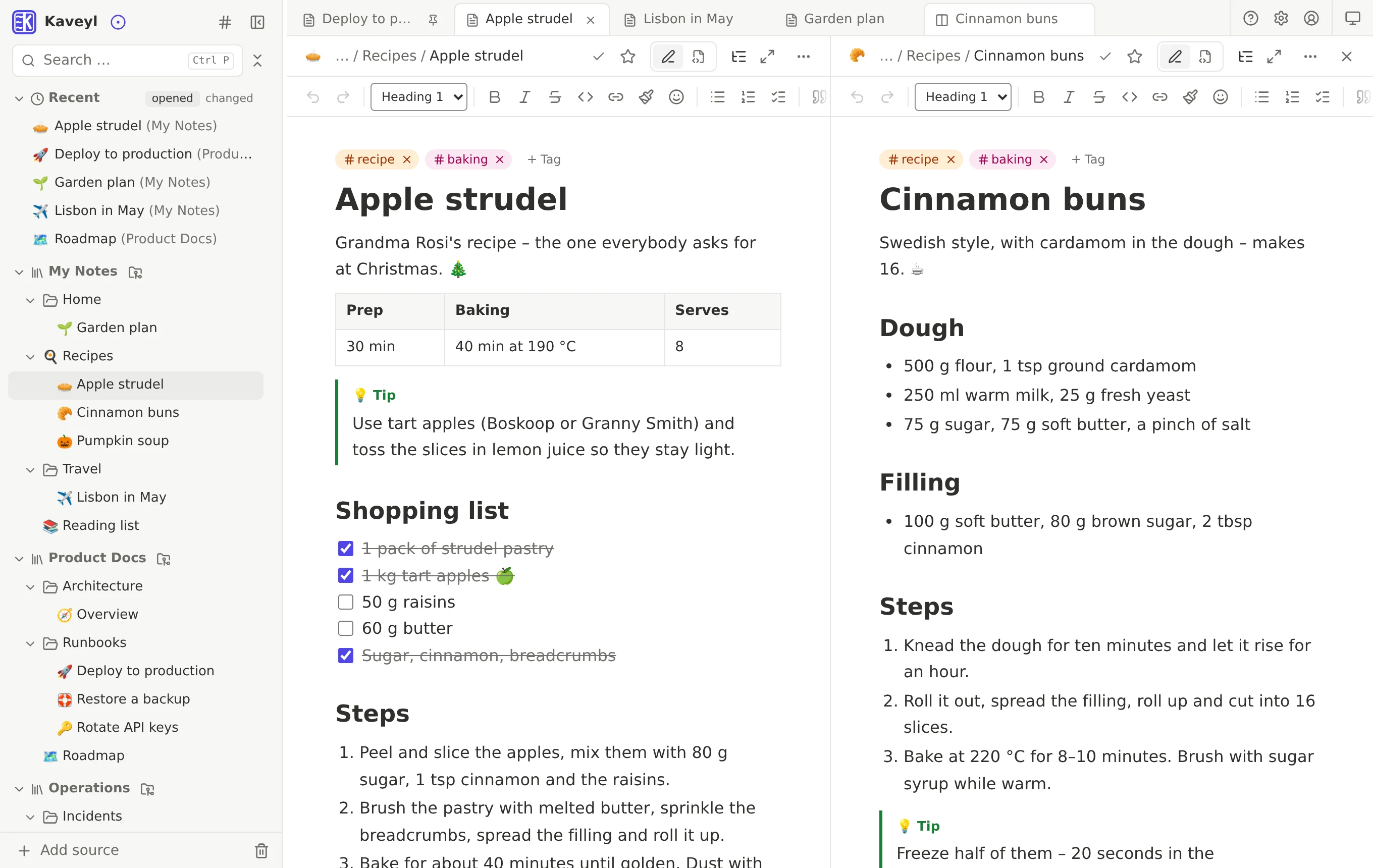
- Each source as its own tree in the sidebar, plus favorites and recent notes (opened or changed)
- Tabs, pinned tabs and a split view with two notes side by side
- Rename and move – even into another source – with automatic link repair
- Copy, cut and paste in the tree, also between sources, including images and attachments
- Drag and drop to move and reorder; the order is the same for everyone
- Select several notes and folders and move, export, delete or share them together
- Templates with placeholders for title, date, time and name
- Tags with suggestions, twelve colours, and renaming or merging across all sources
- Icons for notes and folders: about 1,900 symbols, emoji or your own uploaded images
- Focus on a single folder and expand or collapse everything
- Read-only mode for single notes
Finding
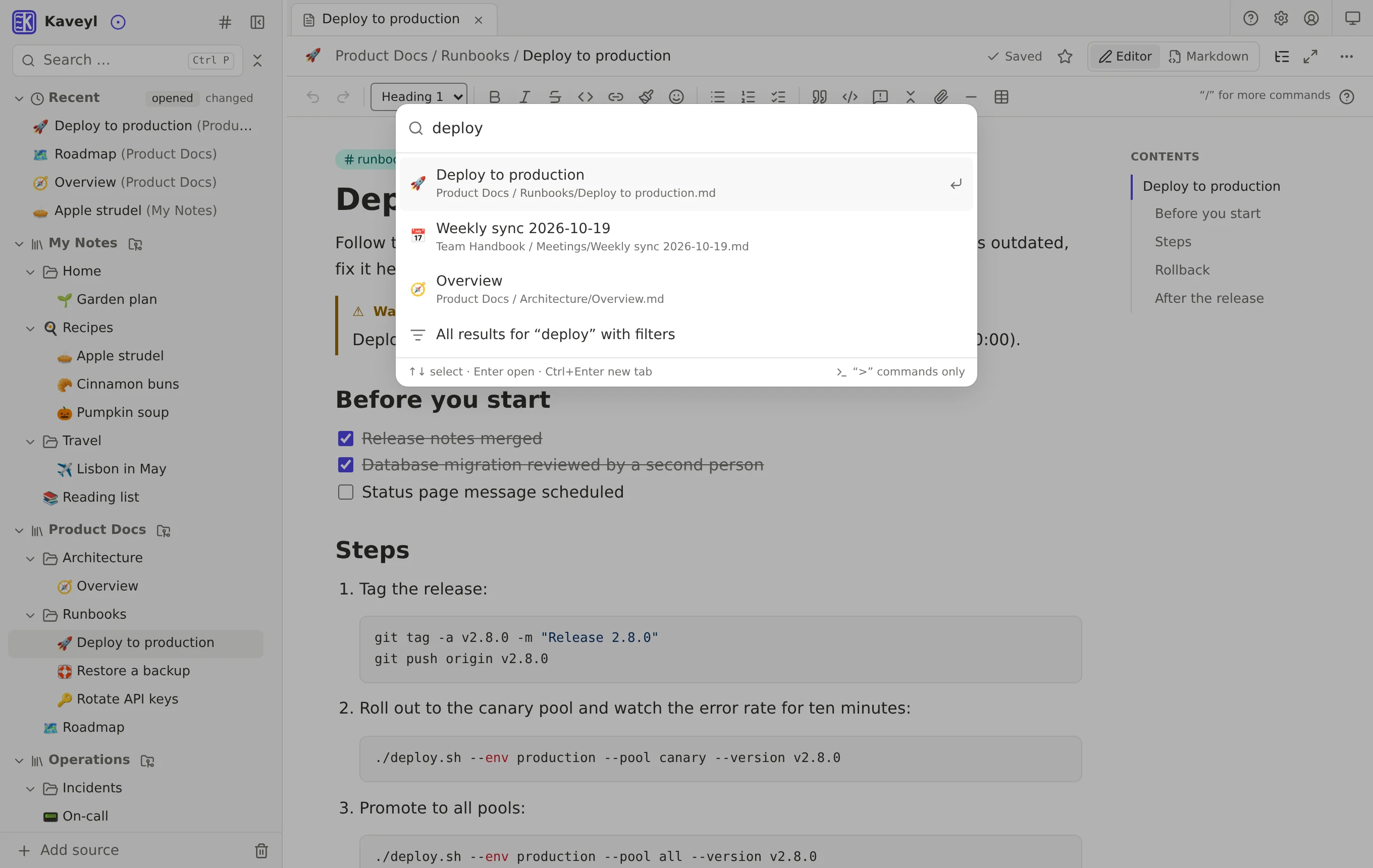
- Instant search (Ctrl+P) with results as you type, grouped by folders, notes and content
- Search page with filters for source, tag, folder and date changed
- Search operators such as
tag:,in:,path:,since:, exact phrase and-word - Finds whole words, word beginnings and parts of words
- Command palette (Ctrl+K) for notes and commands
- “Linked from” shows below each note which notes point to it
- Preview when hovering over a note link
- Table of contents next to the note
- Broken links are marked red while you write, with “Create note”
Sources & Git sync
- Any number of sources: Gitea, GitHub, GitLab, any Git URL (HTTPS) and local folders
- Wizard for adding sources: choose the branch, the whole repository or only some folders and files
- Create new repositories on Gitea right from Kaveyl Wiki (private by default)
- Local folders with their own Git: versions, trash and who changed what – no Git server needed
- Saved changes become commits with you as author and are pushed automatically; adjustable pause, Ctrl+S right away
- Fetches changes every 5 minutes, or at once through a push webhook; on Gitea, Kaveyl Wiki sets the webhook up with one click
- Works alongside VS Code, Obsidian (Git plugin), Wiki.js and
git; renames made elsewhere are detected and links repaired - Changes in different places of the same note are combined automatically during sync, without merge commits
- Folder shared with another program: changes show up after about a second
- Sync icon and sync overview with history per source and “Sync now”
- Several connections (accounts, also several Gitea instances); check tokens, a stored token is never shown
- Delete Gitea repositories through a trash: archived, restorable for 30 days, saved as a Git bundle first
Collaboration
- See who has a note open and who is typing right now
- If you start typing while someone else is editing, Kaveyl Wiki asks once
- When someone else saves, you see the change at once – your cursor and reading position stay put
- If an open note is moved or renamed, your tab follows it
- “Changed elsewhere” notice with one-click “Merge”, a diff view and a choice of version
- Resolve conflicts with three versions side by side (base, mine, theirs) or by hand
- Each person gets their own version; co-editors are listed as co-authors
- Follow notes, folders or sources: a dot in the sidebar and a “New for you” list
- Updates on followed items by e-mail (bundled, hourly or daily) or Pushover
- Changes made elsewhere (Git, VS Code, other programs) are reported too, marked “from outside”
Versions, trash, restore
- Versions of every note from the Git history, also across renames, with diffs
- Restore an old version – as a new change, the history stays complete
- “Save as” stores an old version as a new note, with its images; nothing is ever overwritten
- A trash per source; a deleted folder is one entry, restorable as a whole or note by note
- Deleted notes show up in the trash immediately, even one created a moment ago
- “Restore” right in the message after deleting
- Adjustable retention (30 days by default); the Git history is never rewritten
- Unsaved input stays in the tab after a sign-out or server outage and is saved afterwards
Permissions, accounts, sharing
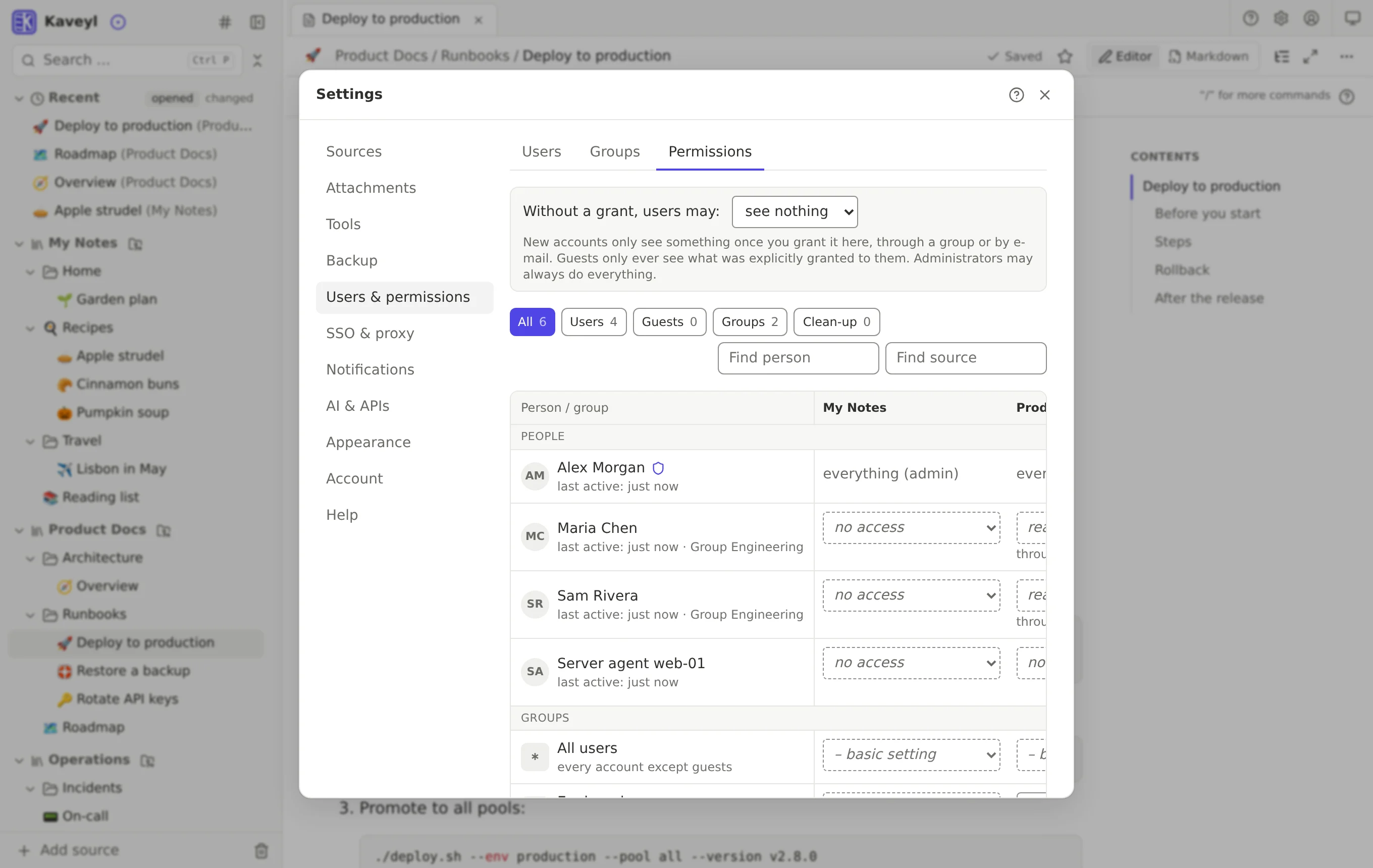
- Roles: administrator, user and guest
- Permissions per source, folder or note: no access, read, read & write, manage
- Rules for everyone, for groups or single people; the most specific rule wins
- Permissions grid of people and sources at a glance, with inherited rights and clean-up suggestions
- New users only see what has been shared with them
- Create accounts by e-mail invitation or with an initial password, optionally to be changed at first sign-in
- Create groups and add members with a tick
- Give access by e-mail to a note, folder or source; new people get a guest account
- Send notes by e-mail as a
.mdfile to people without an account – no link into the wiki - Lock, unlock and delete accounts; locking signs the person out everywhere at once
- The same permissions apply to the REST API and MCP
Encryption
- Encrypt single notes with a passphrase – in the browser, using the open age format
- Linked images and files are encrypted too
- Encrypt whole folders; new notes inside are encrypted automatically
- The server, Git and VS Code only see the encrypted block; Kaveyl Wiki stores no key
- Locks again automatically after 5, 15, 30 or 60 minutes, or right away
- Can be decrypted without Kaveyl Wiki using the age tool
- The check finds unencrypted notes in encrypted folders; “Finish encrypting folder” catches up
- The AI never sees encrypted notes
Backup & restore
- Backups of your sources and the database to an SMB share (NAS, Windows) or a separate backup folder
- One ZIP file per source that opens without Kaveyl Wiki; local folders include their history
- Optionally AES-256 encrypted with a backup password (opens with e.g. 7-Zip)
- Daily, weekly, monthly and yearly schedules with retention; missed runs are caught up
- Test a target before saving – with a test file and the free space
- Open a backup and compare it with the current state; bring back single paragraphs
- Restore single notes, folders or the whole source, or save them as a copy
- “Restore from backup” straight from the right-click menu in the tree
- Existing backups on a target are found and added to the list
- New server: restore the database during first-run setup – with all accounts, permissions, sources and schedules
- Nightly database backup inside the container (7 daily, 4 weekly)
- Notification when a backup fails
Import & export
- Import Markdown files from your computer as notes, without overwriting anything
- Import from other programs as a ZIP (up to 500 MB) with a preview before anything is written
- Supported: HedgeDoc (also CodiMD), Joplin, Logseq 0.10, SilverBullet, Obsidian, Outline, Trilium, Wiki.js 2.x and Markdown folders
- Every import goes into a new folder with an import report; links point to the new names
- For HedgeDoc, Kaveyl Wiki fetches the images from the old server
- Wikis already in Git (Gollum, Gitea/GitHub/GitLab wikis, MkDocs, Docusaurus) can be added directly as a source
- HTML export: a note as one file with embedded images, a folder or source as a ZIP with an index
- Markdown export, byte for byte as in the source, with images and folder structure
- “Download” button on every note; several selected items come as one ZIP
- Print and PDF with a clean page, without the sidebar
AI assistant
- Providers: Ollama (local), Ollama Cloud, Anthropic, OpenRouter and OpenAI-compatible services; several at once
- The AI sees nothing until an admin shares sources, folders or notes; exceptions block specific places
- “Local AI only” sharing when both local and cloud AI are set up; cloud providers are labelled
- In the editor: rephrase, shorten, expand, fix spelling, translate, summarize, continue writing
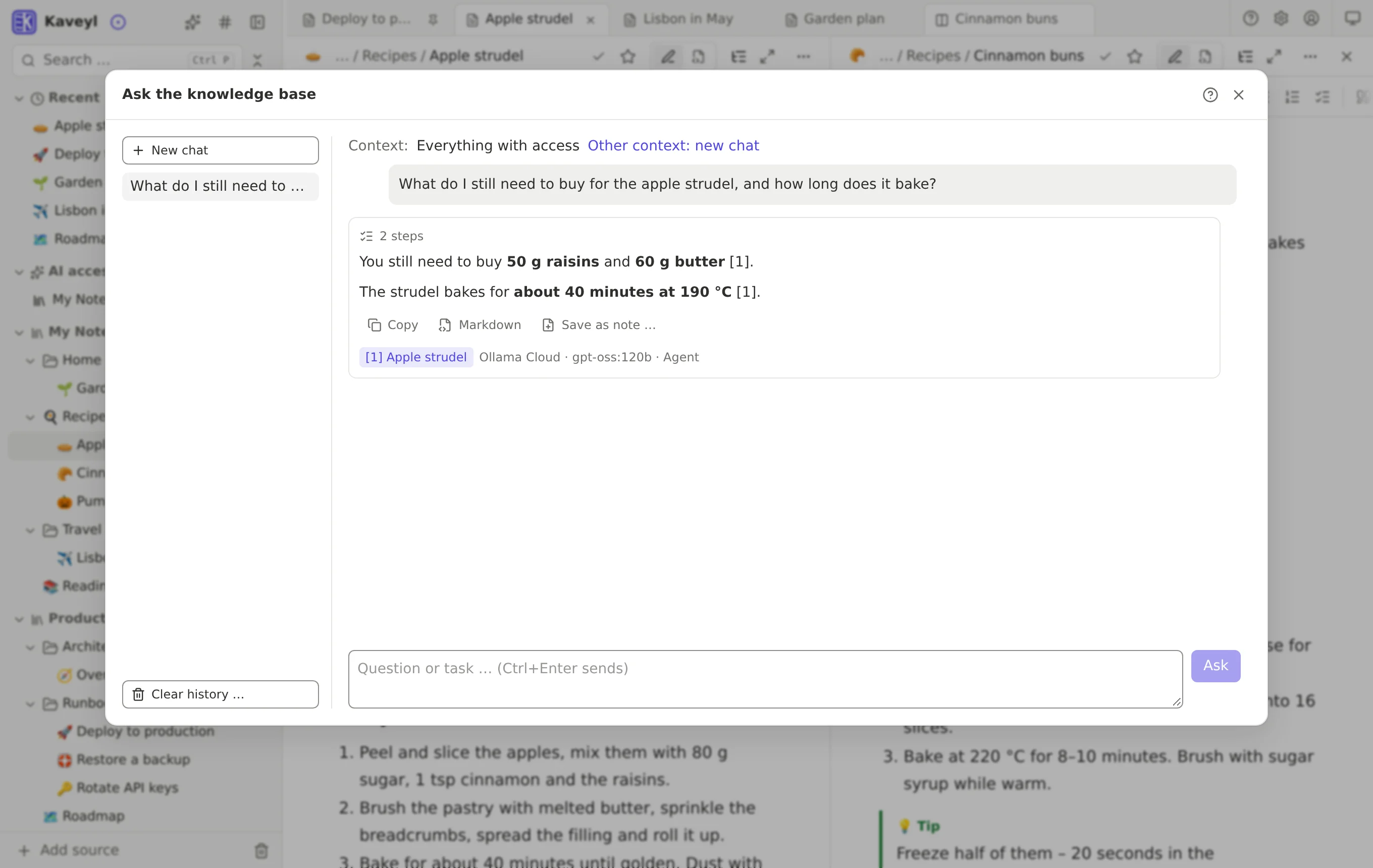
- Ask your knowledge base: the AI searches and reads by itself and names the notes it relied on
- The AI never changes anything itself: changes come as suggestions with a preview, you accept or discard
- Copy answers with formatting or save them as a new note
- Own provider choice and personal instructions per user
- AI memory per source, stored as Markdown in the repository
- Chats with a retention period (90 days by default, per source if needed) and “Clear history”
- Every request is logged – who, which model, which notes, without content
API, MCP & agents
- REST API v1 with an OpenAPI description (e.g. for Postman or Bruno)
- Built-in MCP server for Claude Code, Cursor, VS Code, LM Studio, Hermes and other MCP clients
- Via MCP: search, read, write, create, copy, move, delete, upload files, versions and sync
- Personal tokens with read, write, MCP and manage scopes and an expiry; renew or delete
- After creation you get the ready-made Claude Code command and a JSON config to copy
- Same permissions as in the app; changes appear in Git with the token owner as author
- Protection against overwriting: writes carry the version that was read, otherwise a conflict is returned
- Events for agents: what changed and who did it, via long polling
- Event webhooks send changes at once, signed, to other systems
- Admins create tokens for agent accounts without signing in as the agent
- Example agent to download: turns server warnings into incident notes and acts only after a human approves
Sign-in, SSO & network
- Sign in with e-mail and password, optionally stay signed in for 30 days
- “Forgot password?” with a link by e-mail
- Password rules following NIST SP 800-63B-4: long passwords, easy-to-guess ones are refused
- Protection against password guessing
- Setup code on first start, so nobody else can take over the instance
- Sign-in through Cloudflare Access without a second password
- Runs behind a reverse proxy with https (e.g. Nginx Proxy Manager); a page shows whether proxy, https and live connection are right
- Trusted proxies can be set so the log and sign-in protection see the real address
- Git shows only the name, never the e-mail address
Operations & maintenance
- Runs as a Docker container, free software under the AGPL-3.0
- Event log with filters by type, source, problems and person – never with passwords, tokens or note content
- Clean-up in one place: deletion rules for everything that grows, with current size and “Clean up now”
- Nightly check: broken links, duplicate IDs, orphaned attachments, unencrypted notes in encrypted folders
- Admin notifications by e-mail or Pushover: sync problems, nightly run, backup, security, low disk space
- Protection against message floods (pause per message, at most 10 per hour)
- Admins see a notice when a new version is out; security updates in red
- Adjustable maximum file size, blocked file types and image shrinking
- Credentials stored encrypted (AES-256-GCM), passwords as scrypt hashes
- Welcome page with first steps per role, completed steps ticked off
Everywhere
- Web app for any browser, nothing to install
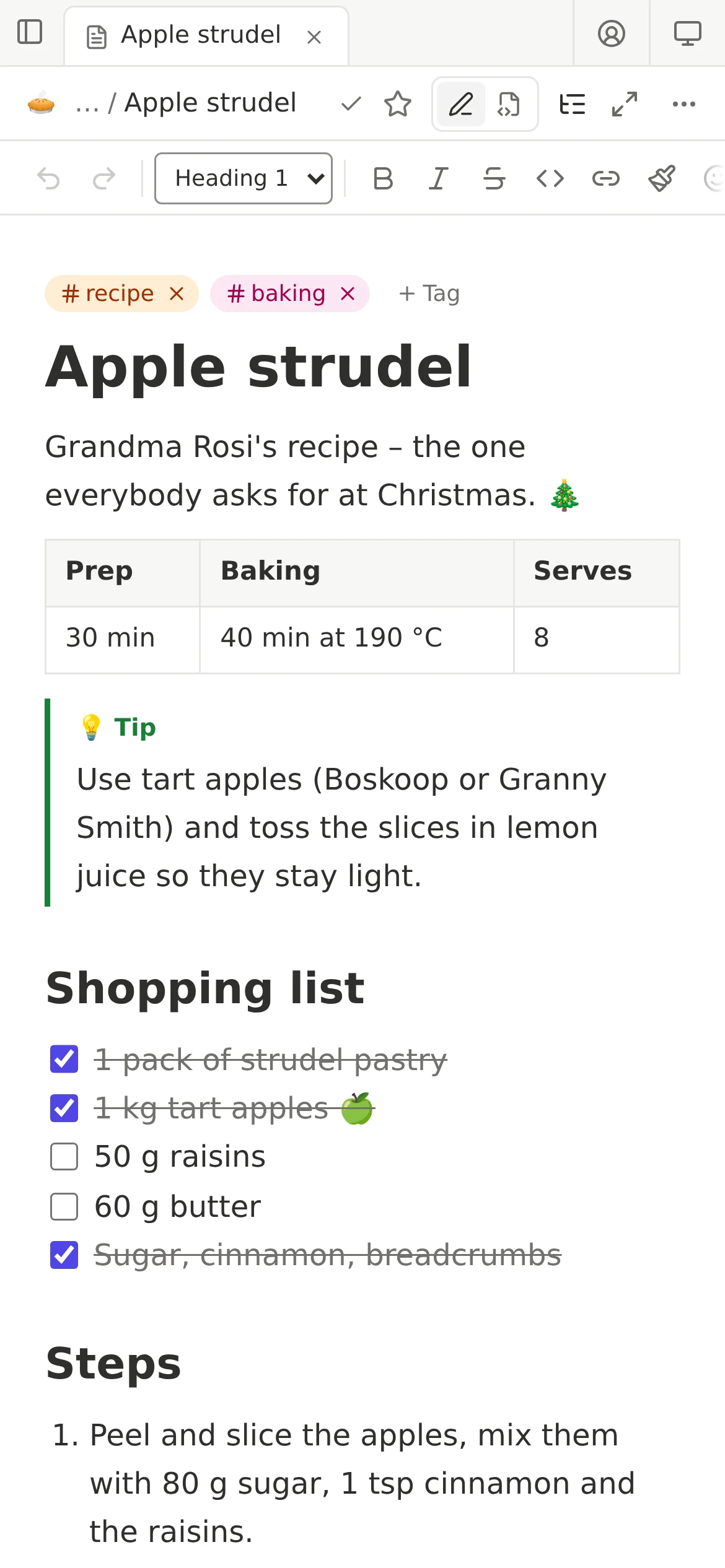
- Install it like an app on phones, tablets and computers (over https)
- On phones: sidebar as a drawer, swipeable formatting toolbar
- Fully usable by touch – long press opens the context menu, nothing is mouse-only
- Interface in German and English, per account; also server messages and e-mails
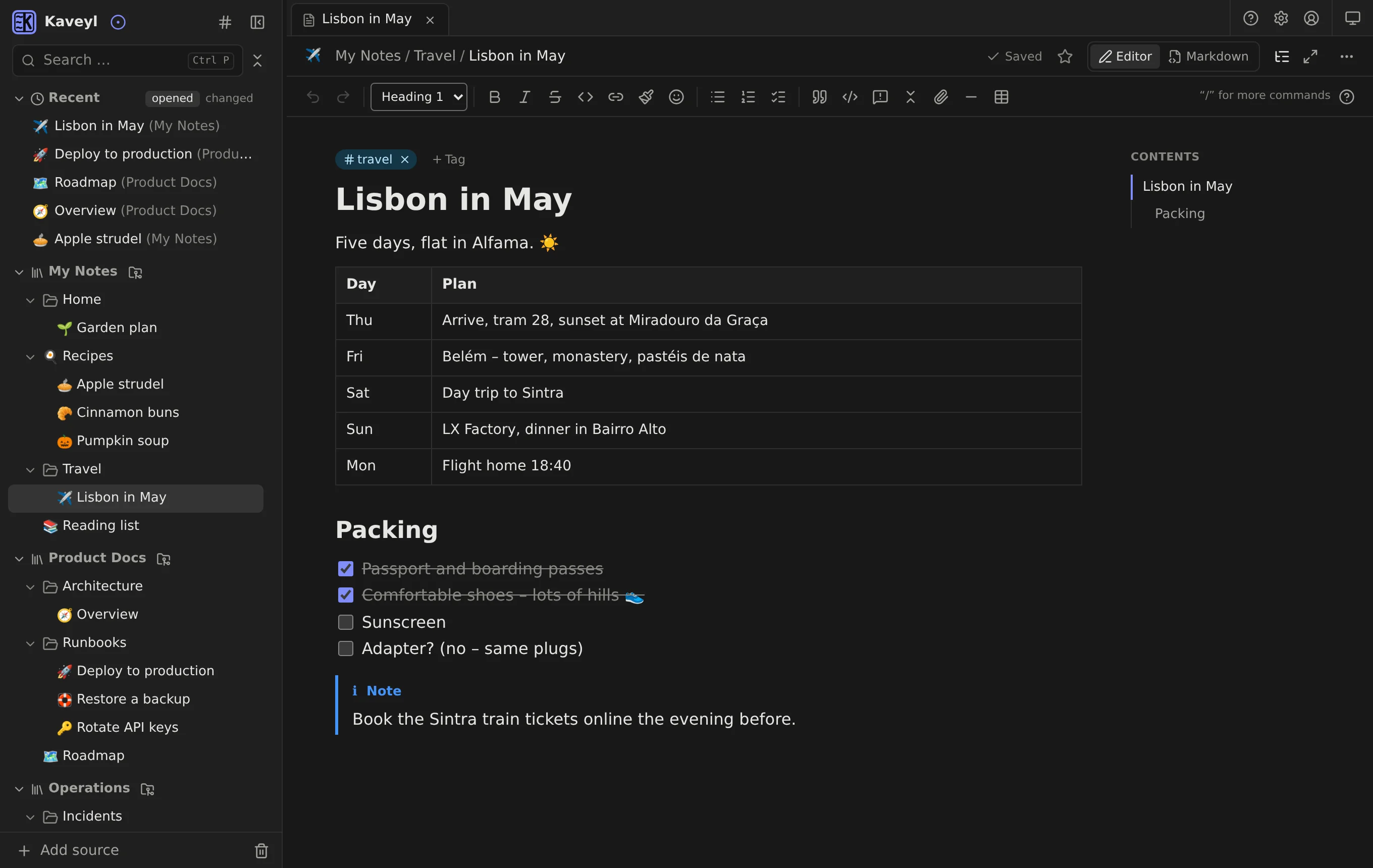
- Light, dark or follow the device
- Separate font sizes for interface, sidebar, note text and code (80–150%); adjustable editor width
- In-app manual with search; F1 opens help for where you are
- Keyboard shortcuts and full keyboard control of the tree
In practice
One wiki, seen from both sides
The same notes, whether you click or code.
| Everyday user | Developer & AI agent | |
|---|---|---|
| Structure | Folders with drag and drop | A plain directory tree in the repository |
| Writing | Editor in the browser, formatting as you type | VS Code, Neovim, git, MCP or REST API |
| History | Versions per note, one click to restore | Git commits and diffs, with names |
| AI | Ask the assistant about your notes | MCP tools for search, read and write |
| Storage | Your own server – nothing in someone else's cloud | Markdown in Git – in a repository or a folder on the server |