Kaveyl Deutsch
Kaveyl Notes · in development

Notes that stay
your own files.

A notes app for Android and the browser. Text, checklists, pictures, drawings and tasks in one note – stored as readable files on your device and, if you like, synced through Google Drive or your own WebDAV storage.
Web app: in developmentAndroid and browserWorks without a connectionFree software, AGPL-3.0
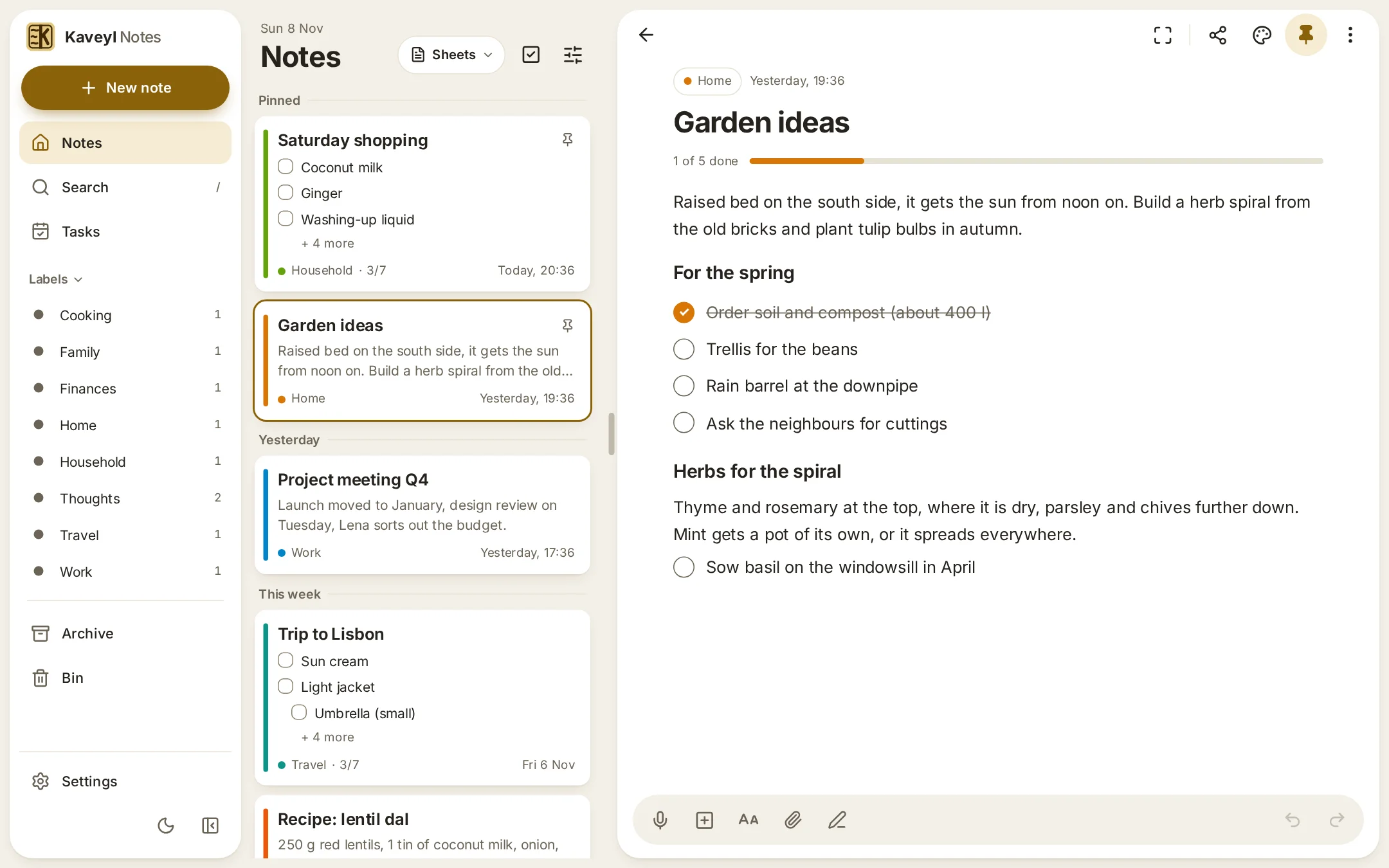
Kaveyl Notes in the browser: the overview with pinned notes on the left, an open note with a checklist on the right
The overview and an open note side by side in the browser
At a glance

Everything in one note – and nothing gets lost

Everything on this page exists today in the development version of Kaveyl Notes. The full list is on the features page.

Your notes, your files

Every note is a readable JSON file in your storage, with export as Markdown, HTML and TextPack.

One note for everything

Text, checklists, tables, pictures, drawings and voice memos side by side in one note.

Tasks with due dates

Checklist items get a date, a time and a repeat, and gather in one tasks view.

Draw with a stylus

Pressure-sensitive pens, layers, paper styles, a ruler and a protractor.

Sync through your storage

Your own WebDAV folder keeps your devices in step – without a server of ours.

Encrypted on your device

Single notes or a whole vault, encrypted with the open age format.

AI only if you want it

With your own key, in the browser; results always appear in a preview first.

Nothing gets lost

Conflict copies instead of overwriting, undo for every step, restore without overwriting.

Storage & safety

Where your notes live

Three ways to use Kaveyl Notes – and with each you choose where the notes are kept. No account with us – and your notes never pass through a server of ours. For Google Drive in the browser, a small service at notes.kaveyl.app handles only the sign-in with Google and never processes notes (privacy).

Where Kaveyl Notes keeps your notes Three ways to use the app. In the browser at notes.kaveyl.app: only in this browser, in Google Drive, or in a WebDAV folder if your server allows requests from notes.kaveyl.app (CORS). Self-hosted with the Docker image: only in this browser, or in a WebDAV folder if your server allows requests from the web app (CORS); no Google Drive there. The Android app: only on the device, Google Drive (coming soon) or WebDAV. The same notes on the phone and in the browser come through WebDAV today, and soon through Google Drive, once it is available in the Android app. notes.kaveyl.app in the browser Only in this browser Google Drive WebDAV – if your server allows it¹ Self-hosted Docker image Only in this browser WebDAV – if your server allows it¹ No Google Drive² Android app phone & tablet Only on this device Google Drive coming soon WebDAV Same notes on your phone and in the browser: via WebDAV on your own server or NAS – soon via Google Drive too (coming to the Android app)
  • ¹ In the browser your WebDAV server must allow requests from the web app (CORS). The manual explains how. The Android app does not need this.
  • ² Google only allows sign-in from the address registered with it – that is notes.kaveyl.app.
  • Google Drive in the browser is available at notes.kaveyl.app; in the Android app it is coming soon.

Safety built in

  • Optional end-to-end encryption. Single notes with a password of their own, or all notes in the vault – encrypted on your device with the open age format before anything is stored or synced.1 What stays visible: the files’ IDs and sizes and the attachments’ file names; for single notes also colour, labels and pin.
  • App lock with a PIN; on Android it can also be unlocked with your fingerprint.
  • No screenshots. On Android the app blocks screenshots and screen recordings – switched on by default, can be turned off under Settings › Security.
  • Back up as ZIP. All notes and attachments in one file. Restoring it overwrites nothing: a note that has changed in the meantime is added as a copy.
  • Android system backup. Google’s cloud gets only the notes, without attachments, and only when a screen lock is set (then it is encrypted). Moving to a new phone (Android 12 and later) takes everything along. Never included: copies kept “only on this device” and the WebDAV password, which is sealed with a key in the Android Keystore.
  • Sync without losses. Changes in different places are merged; if the same spot is changed on two devices, you get a conflict copy. If all or a great many files suddenly go missing, the emergency brake stops the sync until you decide.
  • No Kaveyl account, no tracking. Nothing leaves your device except the sync with your storage – and the AI, if you set it up. The notice about new versions (Android only) is off by default.
  • AI only with your own key – and only for the note you tap it in. Encrypted notes are never sent.

Honestly: the app lock only covers the screen – anything that truly needs protecting, you should encrypt. And notes kept only in the browser go when you clear the site’s data in your browser. Back them up as a ZIP or sync them. Safari goes further: it may delete a site’s data when you have not opened it on 7 days of using Safari – unless it is on the Home Screen or in the Dock as an app. There, add Kaveyl Notes as an app and set up a sync.

Storage & sync

Sync that loses nothing

On your device first. Sync with your own storage only if you want – and nothing is overwritten unnoticed.
  • On your device. Notes stay usable without a connection. In the browser they live in the site’s private storage, which the app asks the browser to keep for good. If it does not, and no sync is set up, a notice tells you that your notes are only in this browser – with “Set up sync” and “Back up now”.
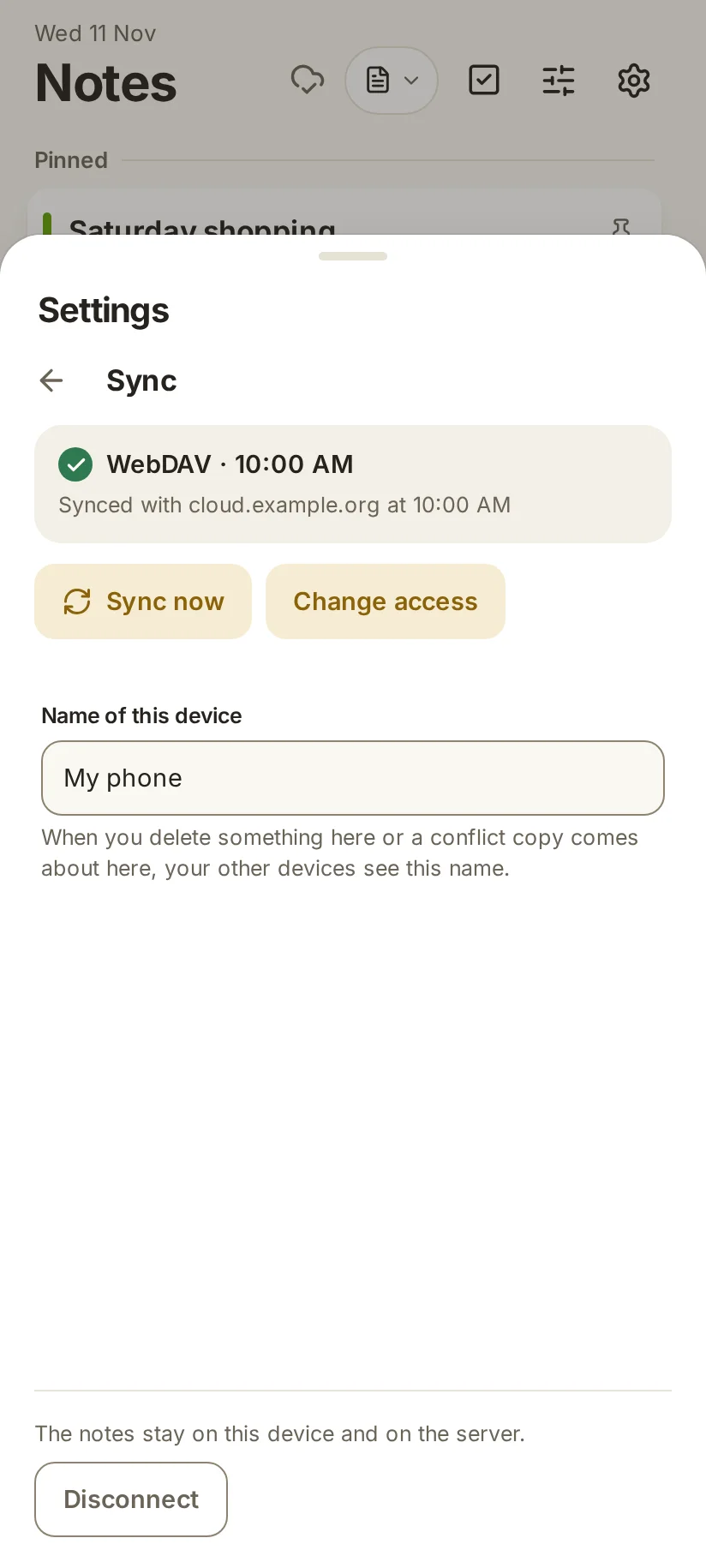
  • Google Drive or your own WebDAV folder. Drive uses only a hidden app folder; the app cannot see your other files. Syncs on start, when you come back and shortly after a change – while the app is open.
  • Merged, not overwritten. Changes of two devices to different paragraphs or list rows are merged; if the same spot is changed twice, you get a conflict copy.
  • Emergency brake. If all or 50 or more files suddenly go missing on the device or on the server, the sync stops and deletes nothing. “Restore the missing ones” brings them back; deleting them takes a confirmation.
  • Who deleted them? Each device keeps a small list of its deletions in the sync folder – file names, time, reason and device name only, never a title or text. If another device deleted a lot, you learn which device it was, how many and when. You choose “Restore” or “Delete here too”.
  • Only on this device. Use an app password of your server – it is stored on the device only and can be revoked there at any time.
  • Back up as ZIP. All notes in one file that stays readable; restore it without overwriting anything. A reminder comes after 7, 14 or 30 days with changes – you choose which.
Kaveyl Notes on a phone: sync with a WebDAV folder, connected and synced
Synced with your own WebDAV folder
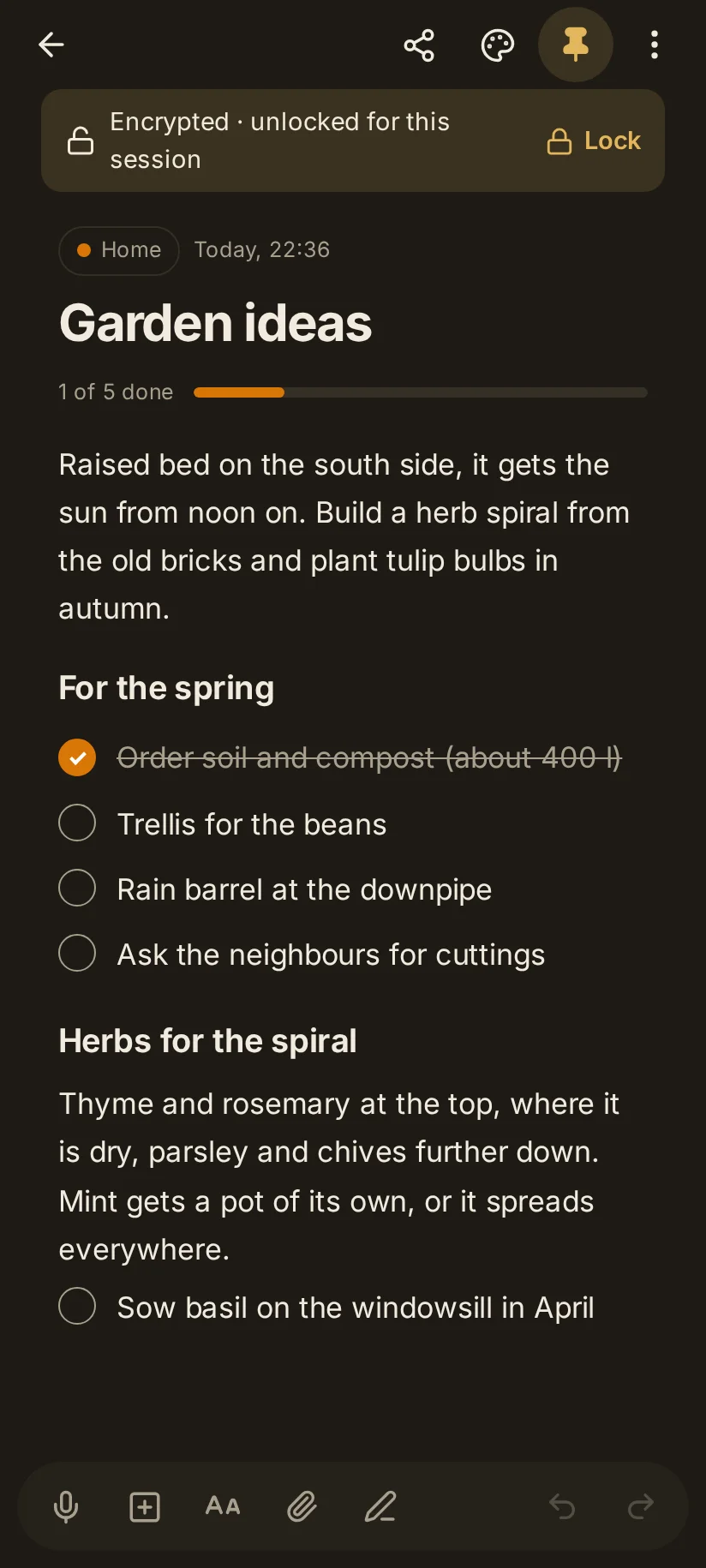
Kaveyl Notes on a phone in dark mode: an encrypted note, unlocked for this session
An encrypted note, unlocked for this session
Encryption & lock

Private notes stay private

Encryption happens on your device, before anything goes to your storage.

  • Single notes with a password of their own, in the open age format – the files also open with the age tool.
  • A vault for all notes, with their colours, labels and tasks, under one password. The manual says plainly what the vault does not hide.
  • Attachments too. Pictures, drawings and voice memos of an encrypted note are encrypted as well.1 The password is never stored and cannot be reset.
  • App lock with a PIN as a screen guard; on Android you can also open it with your fingerprint, face recognition or device lock if you like. There, screenshots are blocked by default.
  • Quiet reminders. Notifications from encrypted notes never show their text.

1 When you view an encrypted attachment, the browser may store parts of it unencrypted on the device, above all for large files and on phones. How long they stay there is up to the browser. So turn on disk encryption on your computer; Android always encrypts its storage.

Drawing

A drawing is part of the note

Draw with your finger, a stylus or a mouse – right inside a note, or on top of a picture.
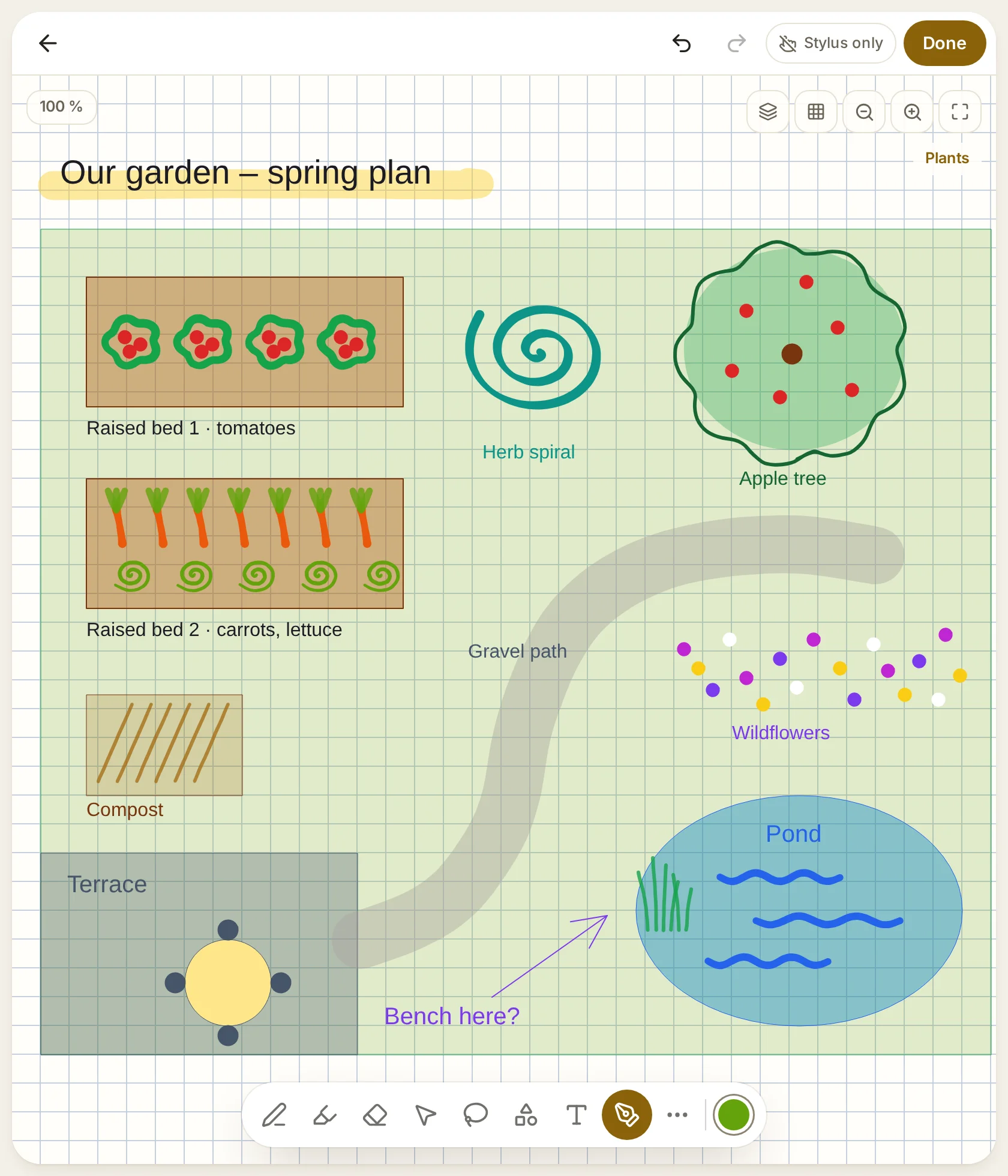
  • Seven pen types from fountain pen and pencil to calligraphy pen and highlighter, with pressure sensitivity and palm rejection.
  • Clean shapes. Hand-drawn lines, rectangles and ellipses snap to clean shapes when you hold the stroke still at the end; arrows, text boxes and pictures go on the canvas too.
  • Paper and layers. Lined, grid, dotted or Cornell paper, endless or A4/A5; layers to rename, hide, lock and reorder.
  • Ruler and protractor plus select and lasso to move, resize, rotate, mirror and copy.
  • Open files. Drawings are SVG files that any picture viewer shows; export as PNG or PDF.
Kaveyl Notes on an unfolded foldable: a garden plan drawn in the editor on grid paper – lawn, terrace, raised beds, herb spiral, apple tree, pond and a gravel path in highlighter, with labels in several colours and the plants on a layer of their own
A garden plan with pens, shapes, text and highlighter
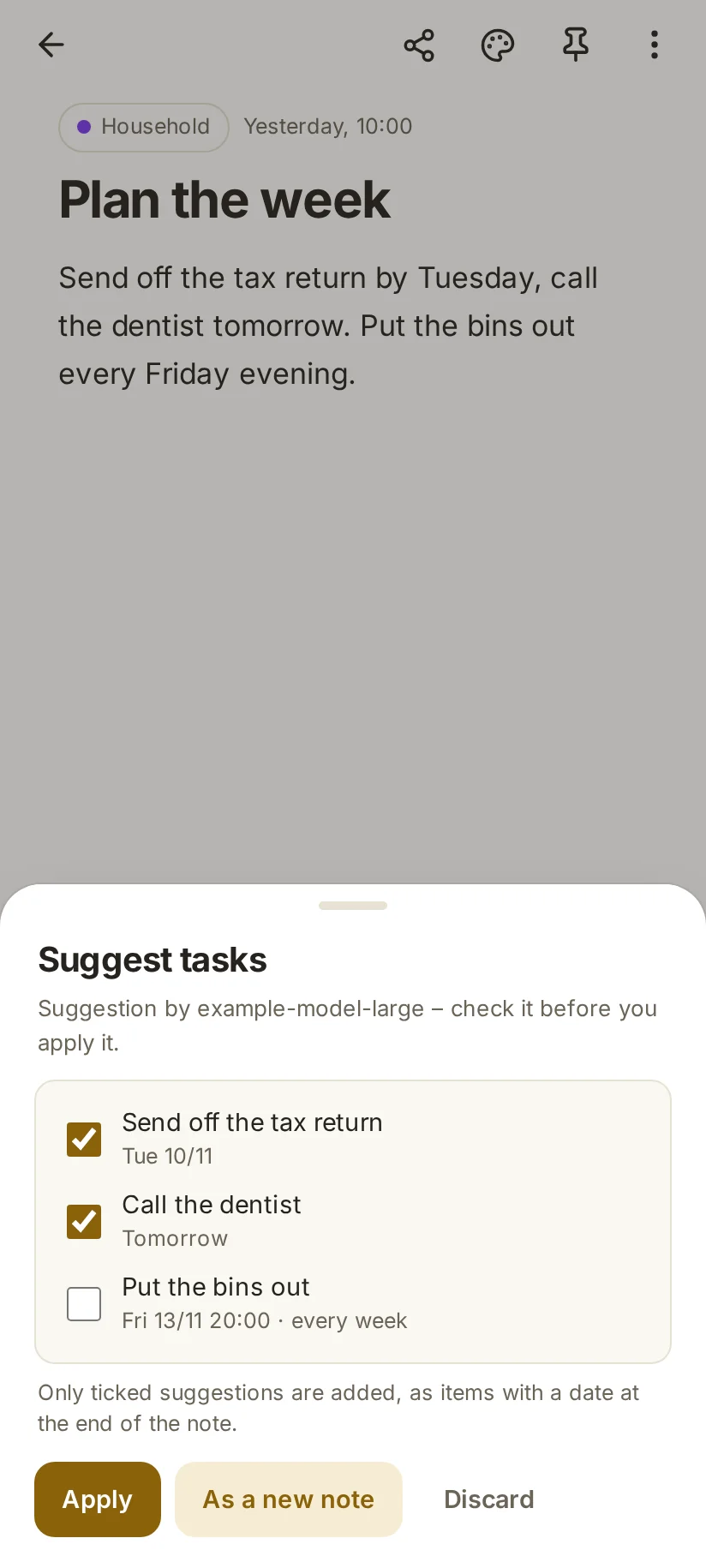
Kaveyl Notes on a phone: the preview of suggested tasks, ready to be ticked
Suggested tasks appear in a preview first
AI with your own key

AI only when you want it

Kaveyl Notes has no AI built in by default – but you can set it up with your own account. For now it is available in the browser version at notes.kaveyl.app, provided your provider allows direct API calls from the browser.

  • Your provider. Ollama Cloud, Anthropic or any service with an OpenAI-compatible interface – also your own server.
  • Helpful steps. Summarise, turn text into a checklist, suggest a title, fix the text or suggest tasks with dates.
  • Preview first. Results always appear in a preview; the AI never writes into your note by itself.
  • Stays out: encrypted notes and notes you exclude are never sent.
  • Voice memos up to 15 minutes – transcribed through your own provider if you like.
A first look

On the phone

Kaveyl Notes on a phone: the tasks view with overdue, today and upcoming
Tasks from all notes
Kaveyl Notes on a phone: a note with text and a checklist
Text and checklist in one note
Kaveyl Notes on a phone in dark mode: the overview as tiles
The overview as tiles

In development

Kaveyl Notes is being built and tested right now – for Android and the browser. The web app already runs at notes.kaveyl.app – still in development: try it and back up what matters to you. For Android there is no download yet, and there are no dates.

Kaveyl Notes is a standalone app: it shares its look and principles with Kaveyl Wiki, but not its file format.

Questions or ideas? Write to me@kaveyl.app.